


Elenva Smart Ring Silver Sleep, Blood Oxygen, Stress & Cycle Prediction
Sleeker, smarter, and made foryou


Every Great Day Starts with a Great Night


50m Water Resistance
Perfect for hand washing, showering and swimming, ensuring worry-free daily wear.
Not recommended for scuba diving, sauna or high-temperature environments.
Data is based on laboratory testing. Actual water resistance performance may vary depending on usage conditions.

6-Day Battery Life, Long-Lasting & Stable
A single charge delivers over a week of use, eliminating the hassle of frequent recharging.
Monitor your cardiovascular metrics for a stronger, more resilient heart.
Sleep & RestGain deep, personalized insights into your sleep patterns and recovery.
Activity & MovementTrack daily activity, steps, and exercise to optimize your energy and performance.
Women's HealthReceive tailored insights into cycle tracking, fertility, and hormonal health.
MetabolicExplore your body's metabolic efficiency and how it impacts overall wellness.
StressUnderstand your stress levels and get actionable tips to find balance.


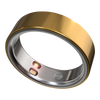
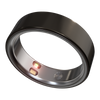
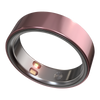
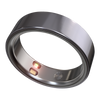
Product Specifications
- Width: 7.90 mm
- Thickness: 2.88 mm
3.3–5.2 grams
(depending on the ring size)
MaterialThe surfaces of both the inner and outer rings are made of titanium alloy.
Battery LifeBattery life lasts up to approximately 6 days
AccessoriesElenva Ring, charging dock and USB charging cable
CompatibilitySupports both iOS and Android systems
Charging TimeTypically takes 20 to 80 minutes, depending on the remaining battery level.
Water ResistanceWater resistance up to 50 meters

Frequently Asked Questions
- Locate the Sensors: Identify the sensor module on the inner circumference of the ring.
- Position the Ring: Place the ring on your right index finger, ensuring the inner sensor array maintains full contact with your fingertip skin.
For Best Results:
- The ring should fit snugly but comfortably without restricting circulation.
- Keep the skin under the sensor area clean and dry.
- Make sure the sensor surface is unobstructed by clothing or other objects.
- Open the ELENVA App and ensure your ring is successfully paired.
- Go to the “Me” tab in the bottom menu.
- Tap the ring icon at the top of the screen.
You will now see the detailed device information page, including all key ring parameters.
- Make sure the ring is properly worn on a suitable finger.
- Open the ELENVA App and verify the ring is connected.
- Navigate to either the “Status” tab or the “Me” tab.
- The battery level will be displayed at the top of the screen.
Connect to Power Source: Align the ring’s charging points with the pins on the charging dock to ensure a secure connection.
Verify Charging Status: Observe the ring’s indicator light:
- Steady or blinking red light: Charging successfully.
- No light: Reposition the ring on the charger and repeat Step 1.
Monitor Completion: When fully charged, the indicator will show steady or blinking green light.
- If using a charging case, the green light may illuminate briefly and then turn off.
The LED indicator reflects both charging status and pairing state:
1.Paired / Connected Ring:
- Charging: Steady red light
- Fully Charged: Steady green light
2.Unpaired / Disconnected Ring:
- Charging: Blinking red light
- Fully Charged: Blinking green light
This allows you to quickly identify both the ring’s charging and pairing status at a glance.
If you have closed and reopened the app, confirmed a successful connection, and checked different sections but the battery percentage remains the same:
- This is normal behavior.
- The ring uses constant voltage charging, so the displayed battery percentage may update slowly during certain phases of the charging cycle.
- Continue charging—the ring will reach full capacity, and the percentage will update accordingly.
- No cause for concern.
Over time and with regular use, it is normal for the ring’s battery performance to gradually decrease, which may result in longer charging times.
Additionally, dust or debris on the charging contacts can reduce charging efficiency.
Recommendation:
Before charging, gently clean the ring’s charging points and the charger’s contacts with a soft, dry cloth to ensure good contact and maintain optimal charging performance.
Method 1: Automatic Measurement
- Wear the ring correctly on a suitable finger. The ring automatically measures heart rate every 30 minutes by default.
- Open the ELENVA App while the ring is connected. Data will sync automatically.
- To view detailed historical data, tap the Heart Rate card in the app.
Method 2: Manual Measurement
- Wear the ring correctly and ensure it is connected to the ELENVA App.
- Go to the “Status” tab and tap “Measure” on the Heart Rate card.
- Remain still during the measurement process.
- Results will display in the app once the measurement is complete.
- Open the ELENVA App and ensure your ring is connected.
- Go to the “Status” tab.
- Tap the Heart Rate data card to open the detailed heart rate page.
- Tap the settings icon in the top-right corner.
- Select your preferred monitoring interval from the available options.
The new frequency will take effect immediately. The ring will now automatically measure heart rate according to the updated schedule.
Method 1: Automatic Measurement
- Wear the ring correctly on a suitable finger. The ring automatically measures blood oxygen every 2 hours by default.
- Open the ELENVA App while the ring is connected. Data will sync automatically.
- Tap the Blood Oxygen card to view detailed historical data.
Method 2: Manual Measurement
- Wear the ring correctly and ensure it is connected to the ELENVA App.
- Go to the “Status” tab and tap “Measure” on the Blood Oxygen card.
- Tap “Start Measurement” to begin—the ring’s red light will activate.
- Remain completely still during the measurement process.
- Results will display in the app upon completion.
Method 1: Automatic Measurement
- Wear the ring correctly on a suitable finger. The ring automatically measures body temperature every 30 minutes by default.
- Open the ELENVA App with the ring connected. Data will sync automatically.
- Tap the Body Temperature card to view detailed historical data.
Method 2: Manual Measurement
- For accuracy, wear the ring correctly for at least 30 minutes before manual measurement.
- Ensure the ring is connected to the ELENVA App.
- Navigate to the “Status” tab and tap “Measure” on the Body Temperature card.
- Tap “Start Measurement” to begin.
- Remain still during the measurement process.
- Results will display in the app upon completion.
The automatic body temperature monitoring frequency is synchronized with the heart rate monitoring interval.
Procedure:
- To change the interval, refer to “How to Adjust Automatic Heart Rate Monitoring Frequency”.
- Any changes made there will also update the frequency for body temperature measurements.
- Ensure Adequate Battery: Before going to bed, verify that the ring has sufficient charge to last through the night.
- Correct Nighttime Wear: Wear the ring on a suitable finger before sleep, ensuring optimal sensor contact for accurate measurement.
- Open the ELENVA App and ensure your ring is connected.
- Navigate to the “Me” tab.
- Tap “My Ring.”
- Locate the “Firmware Update” option.
- If an update is available, a “New Version” prompt will appear.
- If no prompt appears, manually check by tapping “Firmware Update → Check for New Version.”
- Open the ELENVA App and ensure the ring is properly connected.
- Navigate to the “Me” tab.
- Tap “My Ring” to access the device management screen.
- Select “Firmware Update”.
- If a new version is available, tap “Upgrade” to begin the installation.
- Open the ELENVA App and ensure the ring is connected.
- Navigate to the “Me” tab.
- Tap “My Ring.”
- Select “Restore Factory Settings.”
Important Note:
- This will erase all data stored on the ring and unpair it from your account.
- This process cannot be undone, so ensure any important data is synced with the app before proceeding.


